
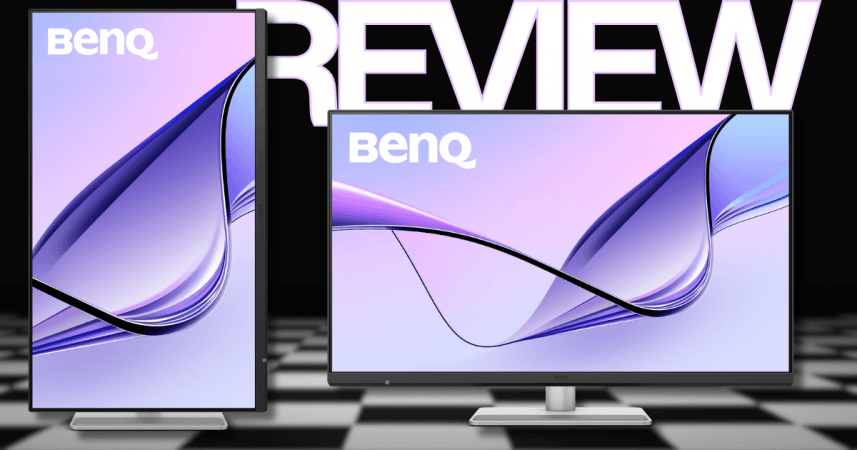
Apple users looking for an external monitor often end up with two choices: spend a fortune on the Studio Display or settle for a third-party monitor that feels like a compromise. Colours don't match, brightness behaves differently, keyboard shortcuts stop working, and that ecosystem experience feels disconnected. BenQ MA320UG is trying to solve exactly that.
After spending time with the monitor, it's clear BenQ hasn't simply built another 32-inch 4K display and added a USB-C port. Instead, it has designed the MA320UG keeping the Mac users in mind. Everything from colour tuning and brightness synchronisation to Thunderbolt connectivity and macOS integration feels intentionally built for Apple's ecosystem. It is the closest any third-party monitor has come to feeling like an Apple display without the Apple's price tag.
Key specifications
- Display: 32-inch 4K UHD IPS (3840×2160)
- Refresh rate: Up to 120Hz (ProMotion compatible)
- Colour: 98% DCI-P3, factory calibrated
- Contrast ratio: 2000:1
- Brightness: 450 nits, DisplayHDR 400
- Connectivity: Thunderbolt 4 (96W PD), Thunderbolt 4 downstream, USB-C, USB-A, HDMI
- Features: Display Pilot 2, Smart KVM, Auto Pivot, Mac colour sync
- Stand: Height, tilt, swivel and pivot adjustment
- Price: Rs 84,998
Design and build
The MA320UG immediately gives off premium vibes without trying too hard.
The silver finish blends nicely with a MacBook Pro or Mac Studio, and unlike many gaming-inspired monitors, there's nothing flashy about it. It feels clean, understated and professional. If Apple made a larger Studio Display, it would probably look something like this, unless you look at the details.
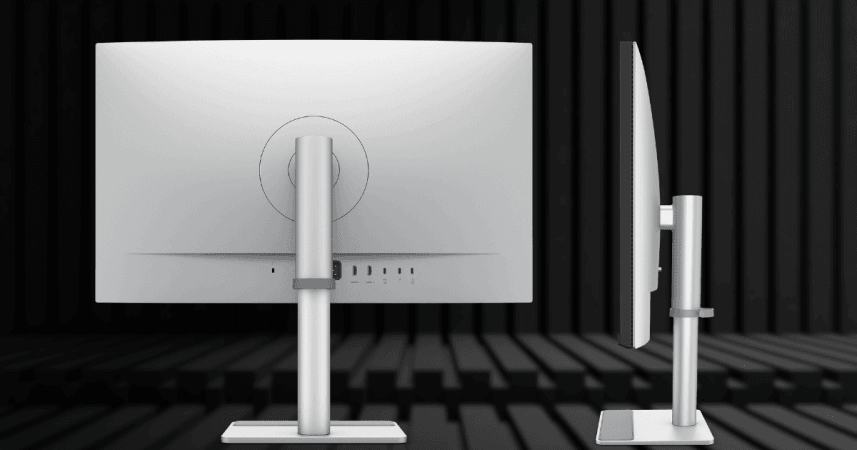
The stand holding the monitor is a star. It offers height adjustment, tilt, swivel and portrait rotation right out of the box. More importantly, it is quite sturdy. Adjusting the display requires very little effort, and it stays exactly where you leave it.
The small rubber pad integrated into the base comfortably holds a MacBook without scratching it. But that works better for a 13-inch model, rather than a 15-inch one, even if the monitor is set to the highest point. But it goes on to show BenQ has actually thought about how Mac users organise their desks.
Around the back, there's an excellent collection of ports. There's a Thunderbolt 4 connection capable of delivering up to 96W charging, another Thunderbolt port for daisy chaining, USB-C, USB-A ports, HDMI inputs and even a headphone jack. One power socket is all it took for all needs and it is refreshing.
Display
The display is the highlight.
At 32 inches, the extra workspace is immediately noticeable. From editing timelines, juggling multiple browser windows or simply writing articles or reviews, the additional screen real estate transformed the workflow.
The 4K IPS panel looks sharp, colourful and vibrant.
Colours appear close to what you see on a MacBook display, something that isn't true for many third-party monitors. But comparing it with your MacBook display side by side doesn't mean there's no difference. But more than BenQ's factory calibration, the Mac colour synchronisation do an impressive job of keeping everything visually consistent between the laptop and external display.
The 120Hz refresh rate is another welcome addition.
Coming from Apple's ProMotion displays, switching to traditional 60Hz monitors can be a major downgrade. That is not the case here. Scrolling feels fluid, cursor movement is noticeably smoother and animations look better.
Brightness peaks at around 450 nits, which is more than adequate indoors. HDR support is present through DisplayHDR 400 certification. Movies look good, but they don't quite deliver the punch or contrast you'd get from Mini LED or OLED displays.
The Nano Gloss coating is an interesting addition. Colours retain that rich, vibrant appearance associated with glossy panels while reflections remain reasonably controlled. Under direct lighting you will notice some glare, but it doesn't bother much in a typical office setup.
Mac integration
This is where the MA320UG separates itself from most competitors.
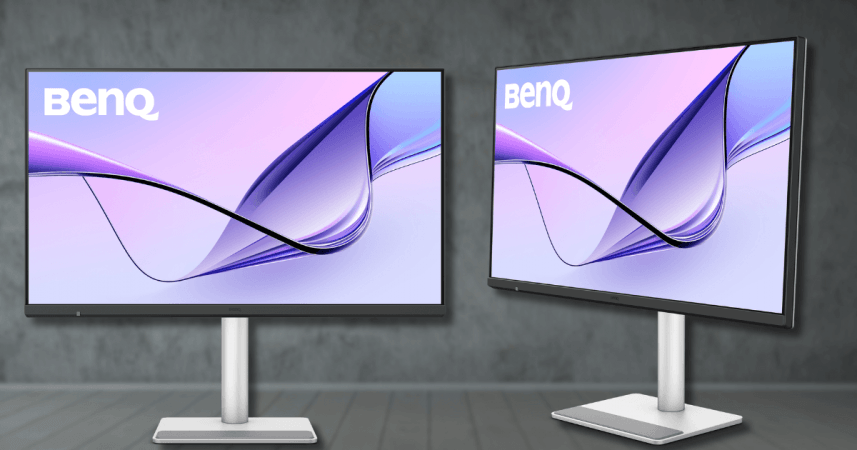
Using BenQ's Display Pilot 2 software, the monitor acts and feels like a native Apple display. Brightness can be controlled directly from the Mac keyboard, True Tone and Night Shift stay synchronised, colour temperatures remain consistent and Focus Modes can automatically trigger different display presets.
Smart KVM is another genuinely useful feature.
If you regularly switch between a MacBook and another desktop or Windows PC, you can control both systems using one keyboard and mouse. Even copying files or text between machines becomes surprisingly effortless. For anyone running a dual-computer workflow, this is of significant value.
Everyday experience
Based on a month-long use case, here's how the monitor felt in day-to-day operations. Text remains crisp enough for long writing sessions, photo editing feels accurate, spreadsheets have ample room to breathe and multitasking simply becomes easier thanks to the larger screen.
As for some shortcoming, the built-in speakers are serviceable for meetings or YouTube videos, but they won't replace dedicated desktop speakers. The absence of a webcam means you'll still rely on your MacBook camera or an external webcam for video calls.
Gaming isn't really the monitor's target audience either. While the 120Hz refresh rate and FreeSync support certainly help, the IPS panel and 5ms response time make it far better suited to creative work than competitive gaming. In simple words, no this is not for gamers.
Verdict
BenQ MA320UG succeeds because of its target audience. It's not trying to be the fastest gaming monitor or the most colour-accurate professional reference display. Instead, it's designed for Mac users who want a larger display that feels like a natural extension of their existing setup. And in that role, it performs exceptionally well.
The 32-inch 4K panel is excellent, 120Hz refresh rate makes everyday work noticeably smoother, Thunderbolt connectivity simplifies desk setups, and BenQ's software integration genuinely bridges the gap between third-party hardware and macOS like no other.
But does it completely replace Apple's Studio Display? Not exactly. A 5K panel would have made text even sharper, HDR performance remains limited, and missing webcam and subpar speakers cannot be ignored. But considering it costs significantly less while offering a larger screen, better ergonomics, more ports and smoother refresh rates, the MA320UG makes a compelling case for itself.
If you're a MacBook user looking to upgrade your workspace without paying the Apple premium, the BenQ MA320UG is easily one of the smartest monitor investments you can make today.